
In this article, I’ll give you extension that will change drop down selection (select field) to radio buttons on configurable products in Magento Community edition.
Well, what I had to do is rewrite Mage_Catalog_Block_Product_View_Type_Configurable block, and create a custom phtml file (configurable.phtml) with some custom validation on it.
Everything I just told you equals to this config.xml:
<?xml version="1.0"?>
<config>
<modules>
<Inchoo_Configurable>
<version>0.1.1</version>
</Inchoo_Configurable>
</modules>
<global>
<models>
<configurable>
<class>Inchoo_Configurable_Model</class>
</configurable>
</models>
<blocks>
<configurable>
<class>Inchoo_Configurable_Block</class>
</configurable>
<catalog>
<rewrite>
<product_view_type_configurable>Inchoo_Configurable_Block_Frontend_Configurable</product_view_type_configurable>
</rewrite>
</catalog>
</blocks>
</global>
<frontend>
<layout>
<updates>
<configurable module="Inchoo_Configurable">
<file>configurable.xml</file>
</configurable>
</updates>
</layout>
</frontend>
</config>
And block rewrite consisted of addition of new method “getRegularConfig” that corresponds to “getJsonConfig”, except it doesn’t return Json encoded data.
And custom template packed in attached zip file is located under “test” theme folder. For installation you need to extract both layout (configurable.xml) and phtml (configurable.phtml) files.
Notice: keep folder structure for phtml file in your theme
And finally, on modern theme it changes configurable product view from this:
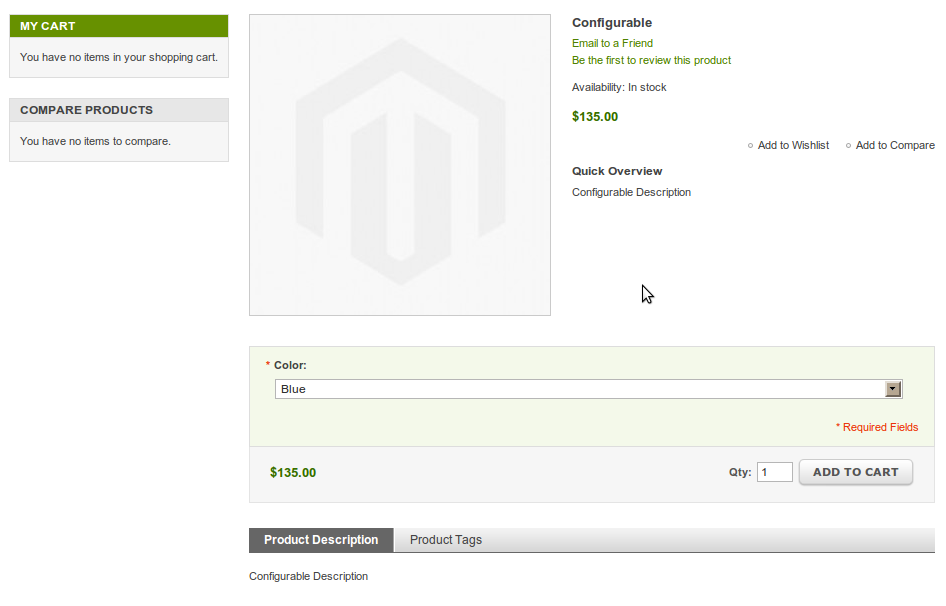
To this:
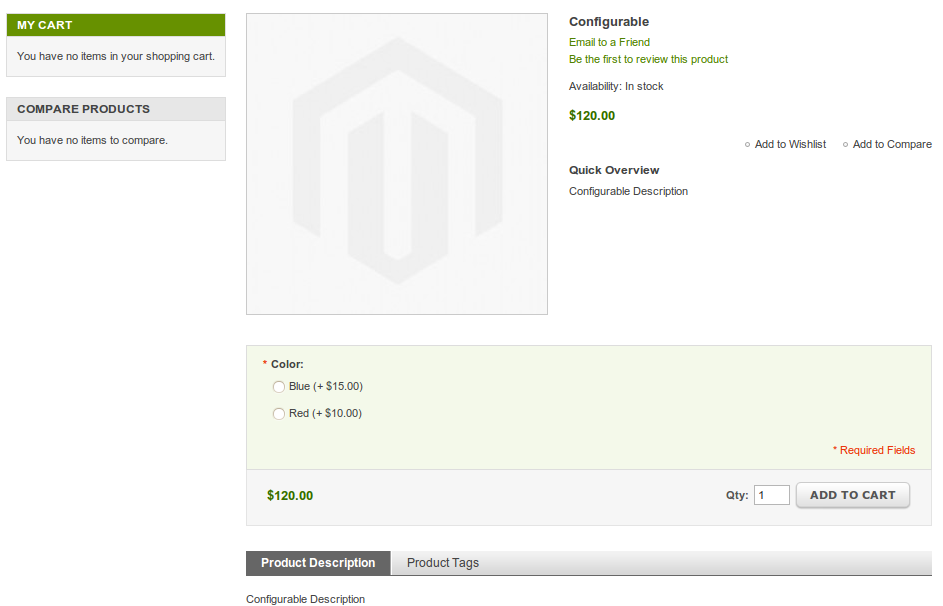
And finally, you can download it here.
Cheers!