Programatically add bundle product to cart in Magento

5 Comments 8th DEC 2009 | Posted by Branko Ajzele in Magento

Programatically add bundle product to cart in Magento

Sometimes, clients requirements exceed the defaults built into the Magento. Recently we came across a task that among other things required manipulation of bundle products in Magento. In order to help my coworker Tomas I wrote this little code snippet that programatically adds bundle product to cart.
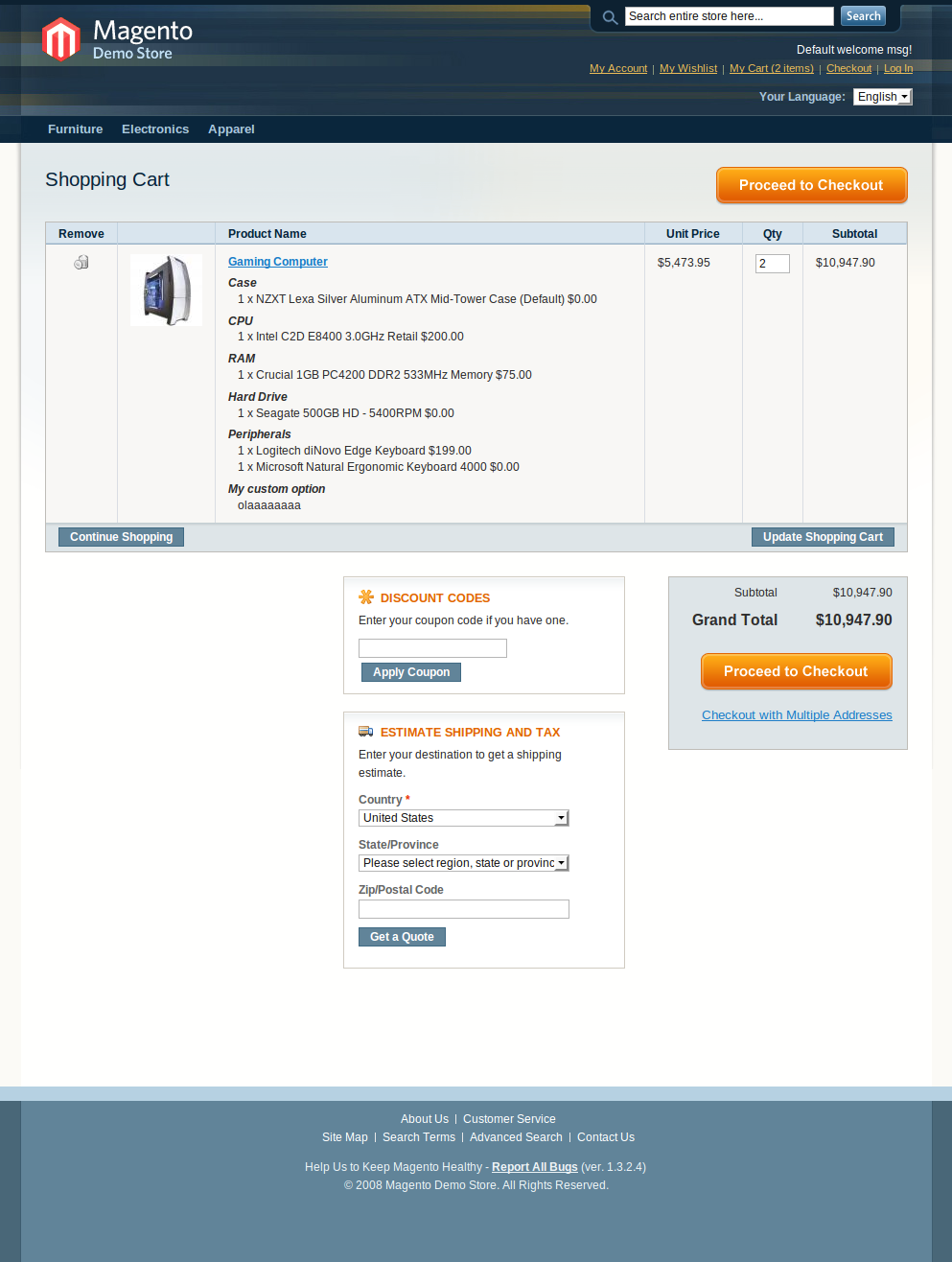
$params = array(
    'product' => 164,
    'related_product' => null,
    'bundle_option' => array(
        21 => 58,
        20 => 55,
        11 => 28,
        12 => array(
            0 => 31,
        ),
        13 => array(
            0 => 32,
            1 => 35,
        ),
    ),
    'options' => array(
        3 => 'olaaaaaaaa',
    ),
    'qty' => 2,
);

$cart = Mage::getSingleton('checkout/cart');

$product = new Mage_Catalog_Model_Product();
$product->load(164);

$cart->addProduct($product, $params);
$cart->save();

Mage::getSingleton('checkout/session')->setCartWasUpdated(true);

$message = $this->__('Custom message: %s was successfully added to your shopping cart.', $product->getName());
Mage::getSingleton('checkout/session')->addSuccess($message);

The above source code might need a bit explanation. There are two major things to keep an eye on bundle product view page, custom options and bundle items.

Custom options are set in the array

    'options' => array(
        3 => 'olaaaaaaaa',
    ),

And bundle item options are set in array

    'bundle_option' => array(
        21 => 58,
        20 => 55,
        11 => 28,
        12 => array(
            0 => 31,
        ),
        13 => array(
            0 => 32,
            1 => 35,
        ),
    ),

Check out the screenshot for additional info.
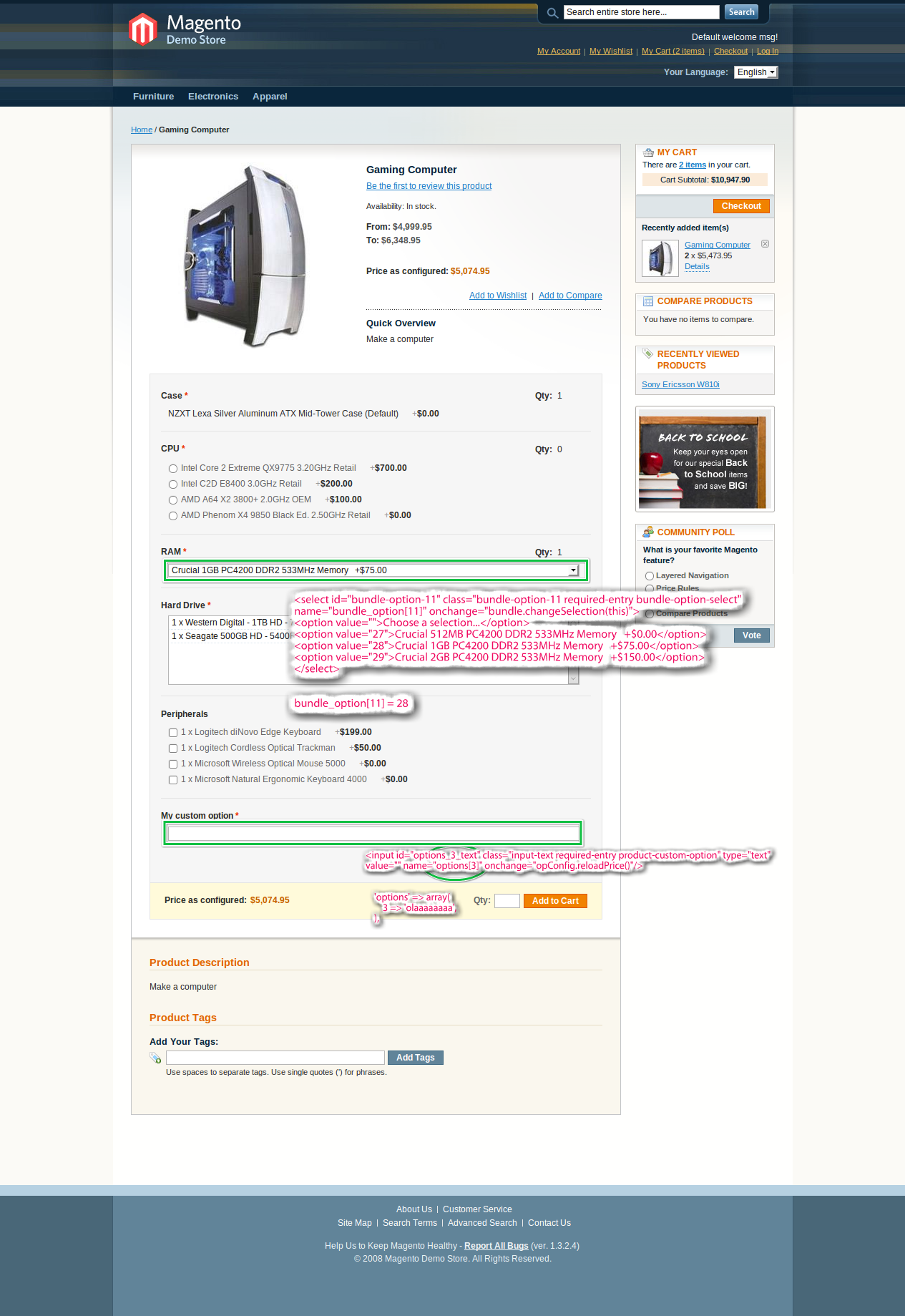
In summary “all” you need to do is to send the proper field name-values as a params. You can then use this code from within controller or as a fast fix from within view file.


If you like what you read, please share it.

  • Digg
  • del.icio.us
  • Facebook
  • Google Bookmarks
  • Yahoo! Bookmarks
  • Reddit
  • Technorati
  • Twitter
  • StumbleUpon
  • LinkedIn
  • Netvibes
  • NewsVine
  • Sphinn
  • Tumblr
  • Posterous

To post code in comments, place your code inside [code] and [/code] tags.

There are 5 comments (Add Yours +)

  • This is very helpful, but I have a question. Do you first need to create all these options for the bundle product? I am looking for a way to dynamically build a bundle product where someone can choose hundreds of options for each component. Essentially, I’d like for a customer to be able to choose from the entire “DDR2 Memory” category instead of choosing preselected options.

  • First of all, thank you. Second, I had to do:
    $session = Mage::getSingleton(‘core/session’, array(‘name’=>’frontend’));

    in order for this to work – just wanted to post in case that may help someone in the future.

  • Bhavesh Dave Says

    Thans bro..!
    its help me a lot..

  • Mitch Viner Says

    Thanks for this. Just saved me, I know a good 10 hours of reading, then try / undo / try again!

    Only thing I would add is if any options are using the select or multi-select type, you’ll need to pass the id(will be integer) of those, not the value.

  • This is a big help!

    What about “info_buyRequest” options? how would you enter those into the array?

    for example, the HTML field name isn’t prefixed with “option_”.. instead, it has a name that seems to be unique to the plugin i’m using.

    custom date option:

    I’ve tried a dozen different ways to add these custom fields to the “params” array without success…

    Thanks for any insight!
    Sean

Leave a Comment

Please wrap all source codes with [code][/code] tags.
Magento Design and Development | Magento SEO | iPhone Application Development Web Application Development with ZEND | WordPress Ecommerce | WordPress development
Sitemap

Inchoo - webappsolutions | 2009