Doctrine ORM and Zend Framework, sample project to get you started (with sample database)

I’ve created a sample project for those of you interested in working with Doctrine ORM and Zend Framework (my favorite toys in last few weeks). All you need to get it up n running is a download of Doctrine ORM and Zend Framework.
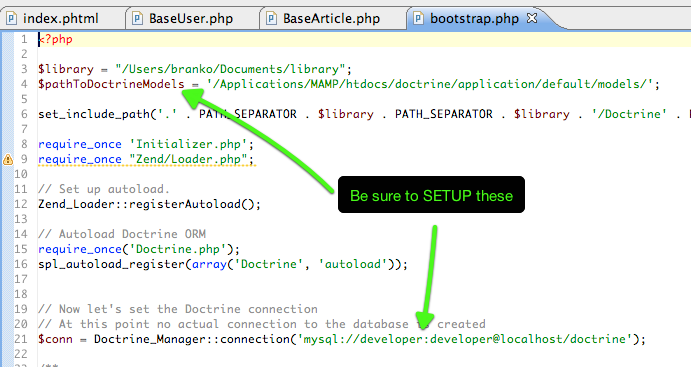
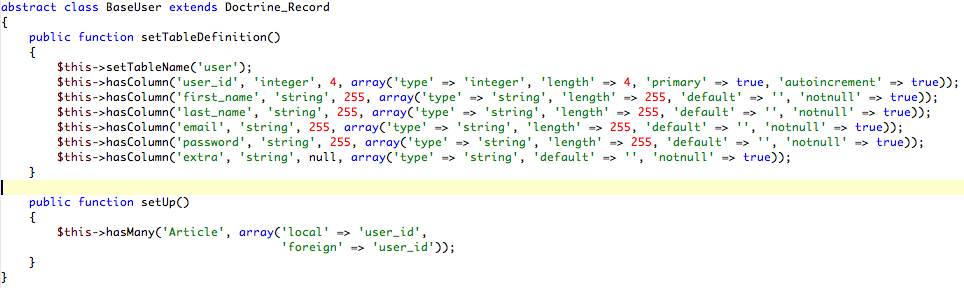
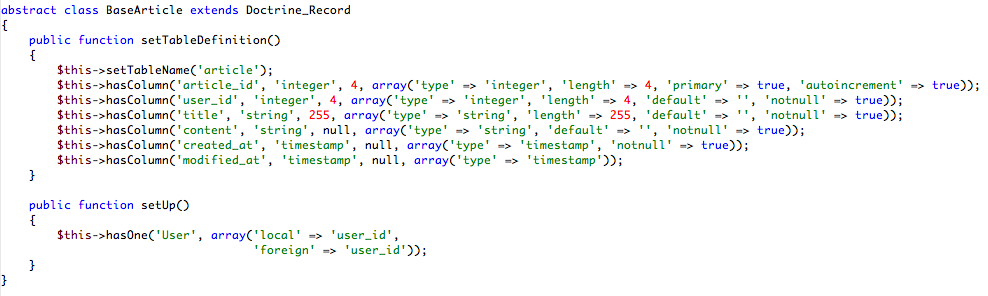
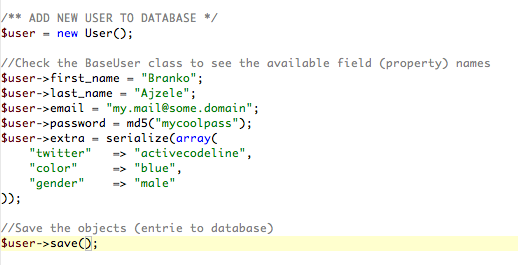
Project is set for auto loading both Zend and Doctrine Frameworks so all you need to do is to instantiate 🙂 -Also, below you can see few screenshots of the sample code I implemented. Also, I provide you with the .sql dump (doctrinesql) file that goes with this project. Note the use of InnoDB engine in database. Since Doctrine comes with this cool hasOne, hasMany relation mappings, you can use bunch of cool stuff to easily do various actions on database once you get familiar with Doctrine. Although MyISAM engine is somewhat faster than InnoDB, without second thoughts I choose InnoDB due to foreign keys features.

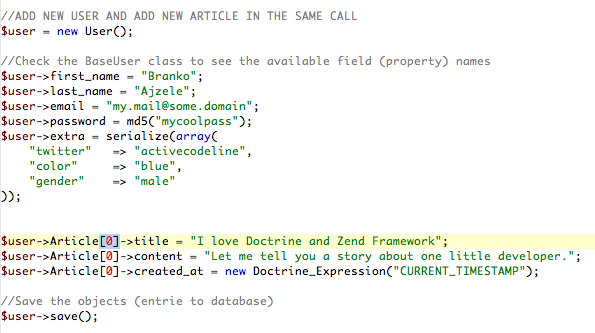
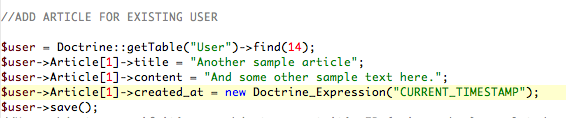
Download project files:
doctrinesql
doctrine_example_project (doctrine orm and zend framework)





13 comments
where to put doctrine_orm folder and which version of zend framework i need to use ?
I am getting error ….
require_once(‘Doctrine.php’);
from where i need to take this ?
Thanks orm-desinger looks good. But it’s a bit pricey.
I personally use MySQL Workbench with symfony. But symfony can create schema from MySQL live database.
Does the Zend framework can it also? By the way – are you satifsfied with choosing Zend Framework? I won’t to make flame about which framework is better. But can you write something about your feelings about Zend? Is the community helpfull? (unfortunately many of the questions over SF boards stayes unanswered) Does the Zend speeds up your developing process or does the framework issues cause more trouble then it solves?
Hi,
thank you for this great article. It made me finally start using Doctrine and I haven’t regretted it. I can’t thank you enough for that.
BTW: I’ve found ORM Designer (http://www.orm-designer.com/) for Doctrine which helped me a lot. It’s still under heavy development, but already deadly useful.
Hi,
Thanks for the great article. Could you please tell me what piece of software there is on the second screenshot?
I’m also a Mac OS X user and that looks quite interesting.
Cheers.
nice example. very helpfull for a beginner. thanks
Hy,
I have downloded ur stuff, buts it download files with no extensions, how can i use these for learning.
Actually I am a New baby in ZF and lloking for help in configuration of ZF and atleast development of small application like the one u mentioned here, but i am not able to proceed, got stuck in, will u please help me out in this regard,
I am keenly waiting fr ur rep, as ur above tutorial lokking helpful .
can u plese send me this whole small working application in Zip format, so i just unzip and execute the sql to get it working.
thnx in advance fr help
Regards,
Wow, are you using Eclipse, ZF and Navicat on the Mac? If you’re running MAMP we have identical dev environments.
Will: take a look at http://www.danceric.net/2009/06/06/doctrine-orm-and-zend-framework/
Should contain what you need I think
Hi Will,
In Zf 1.8 just create a resource, named for exemple “Doctrine”, and dont foreget to bootstrap it at initialization.
Hope it will work for you.
Hi, Have you tried this in a ZF1.8 enviroment? where would you put the Doctrine_Manager::Connection call in the new bootstrap class architecture?
I played around with your example and figured out a solution that answers my question.
You can do something like:
$article = new Article();
$article->title=”whatever”;
$article->content=”whatever”;
$user->Article[] = $article;
$user->save();
Great article. Everything is easy to understand and it’s a meaningful example.
How would you add a new Article without knowing how many the user had?
Could you simply reference it as:
$user->Article[]->title = “Unknown number of articles”;
etc…
I’d be interested in seeing a version of your Zend_Auth entry redone using Doctrine.