Inchoo Flickr Gallery Magento Extension
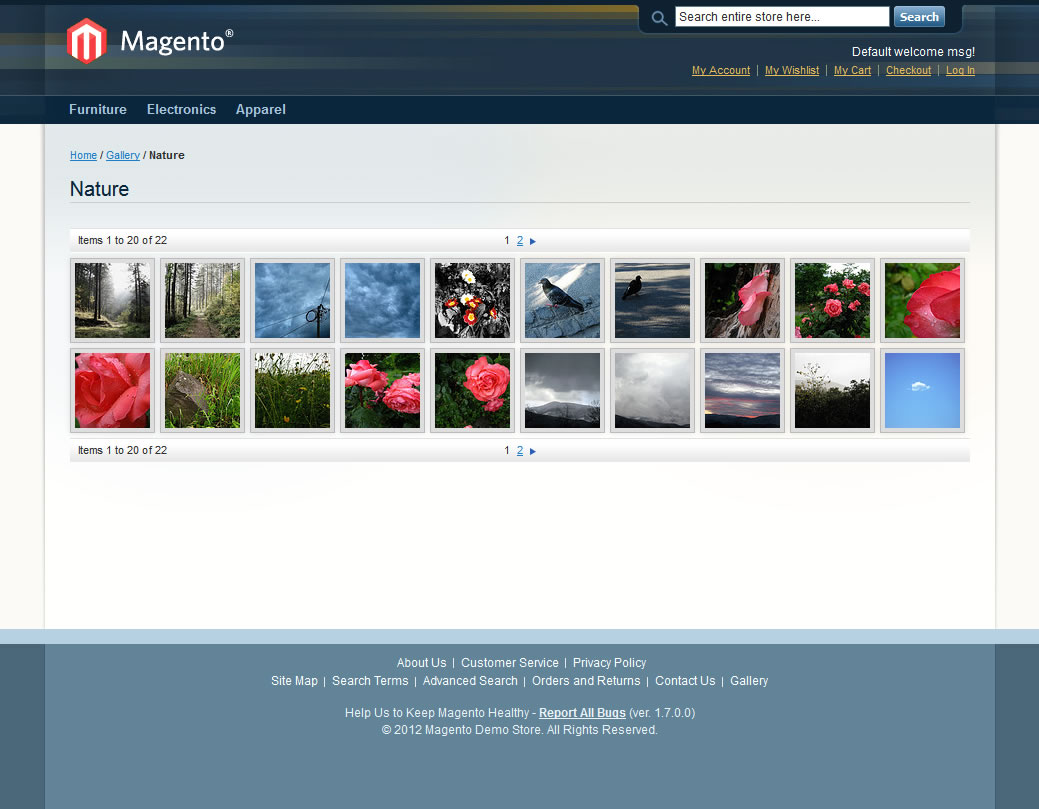
Inchoo Flick Gallery is an easy-to-use Magento extension that will integrate any Flickr gallery into your Magento website. It is fully customizable using a simple Magento back-end configuration page and it uses Flickr API to get all the required information and data. Extension is tested on Magento 1.6 and 1.7 but it’s still the first version so be careful if you decide to use it on your live site.
Features
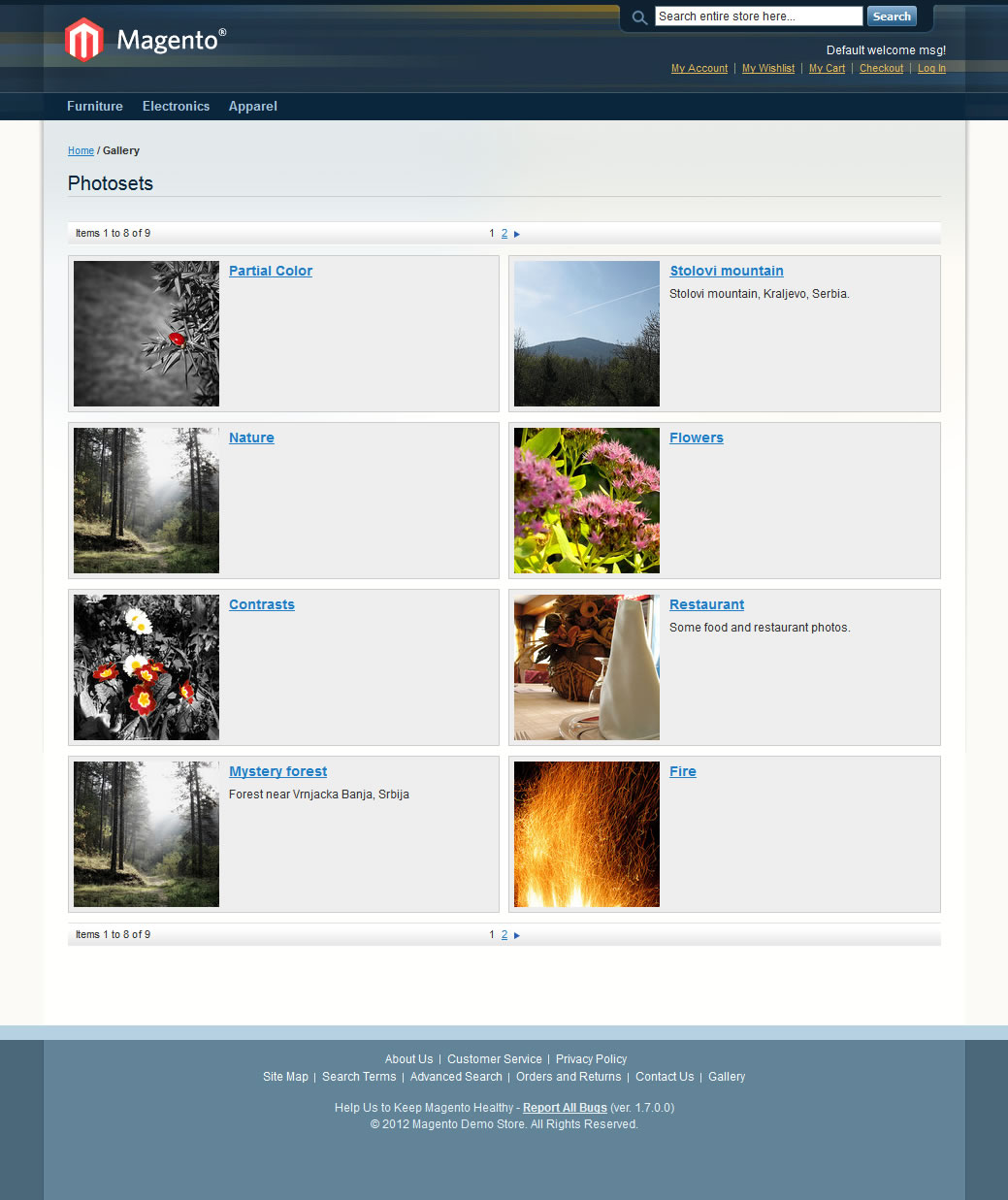
- Automatically gets all the photosets from the specified user and makes them available in Magento back-end
- Allows you to choose which photosets you want to display on the site
- Configurable pagination
- Configurable thumbnail size
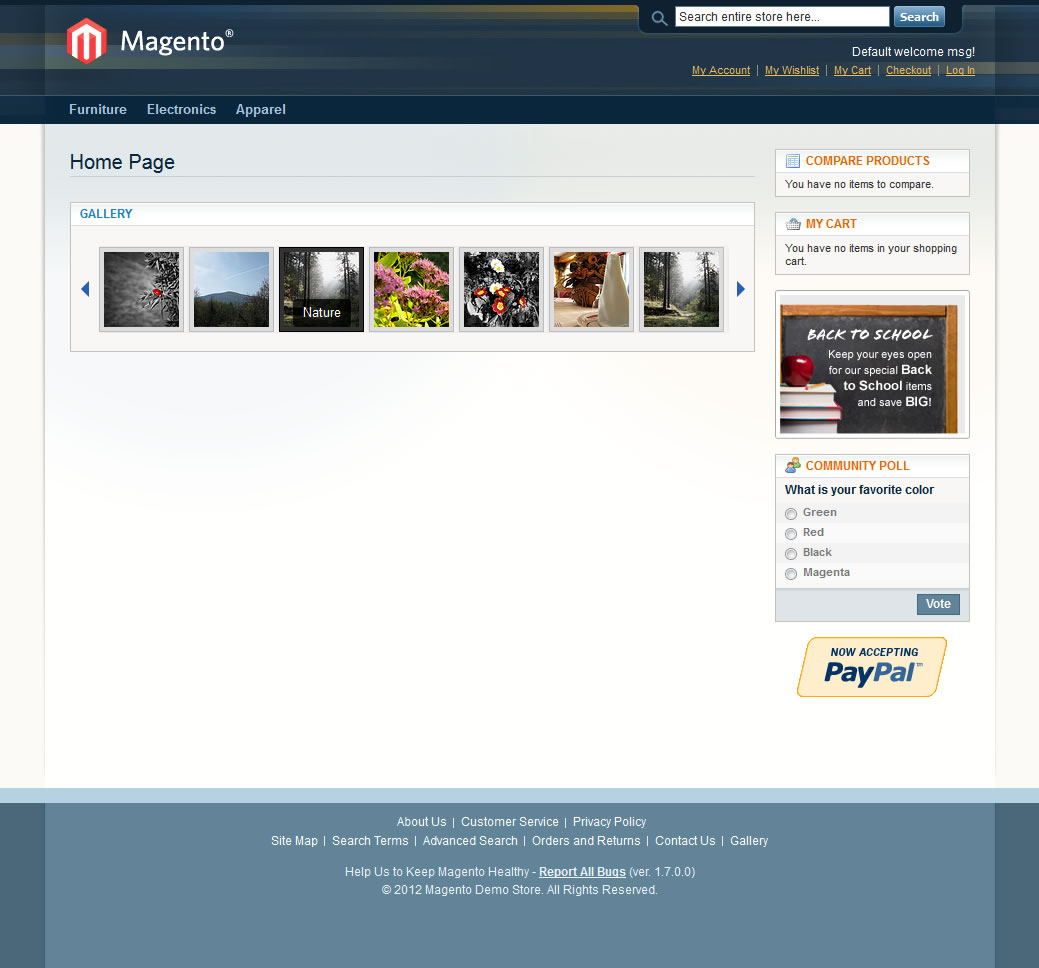
- Configurable tooltips with different skin styles to choose from
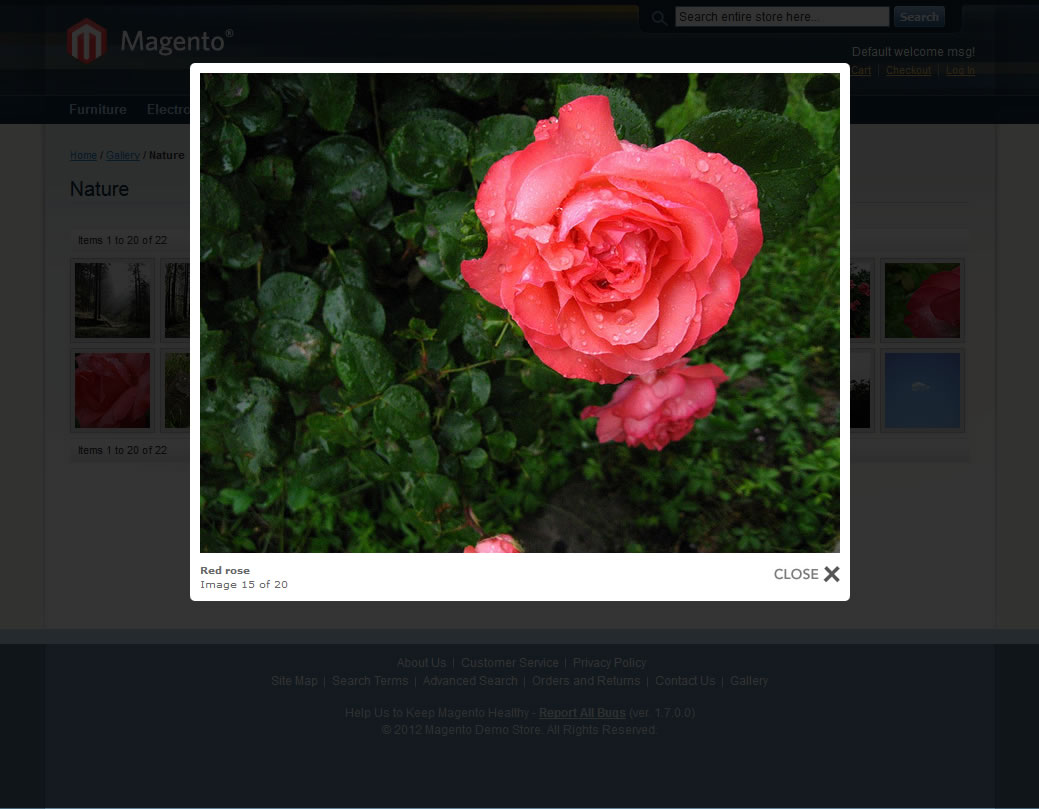
- Integrated Lightbox that can be disabled if you want to use your own
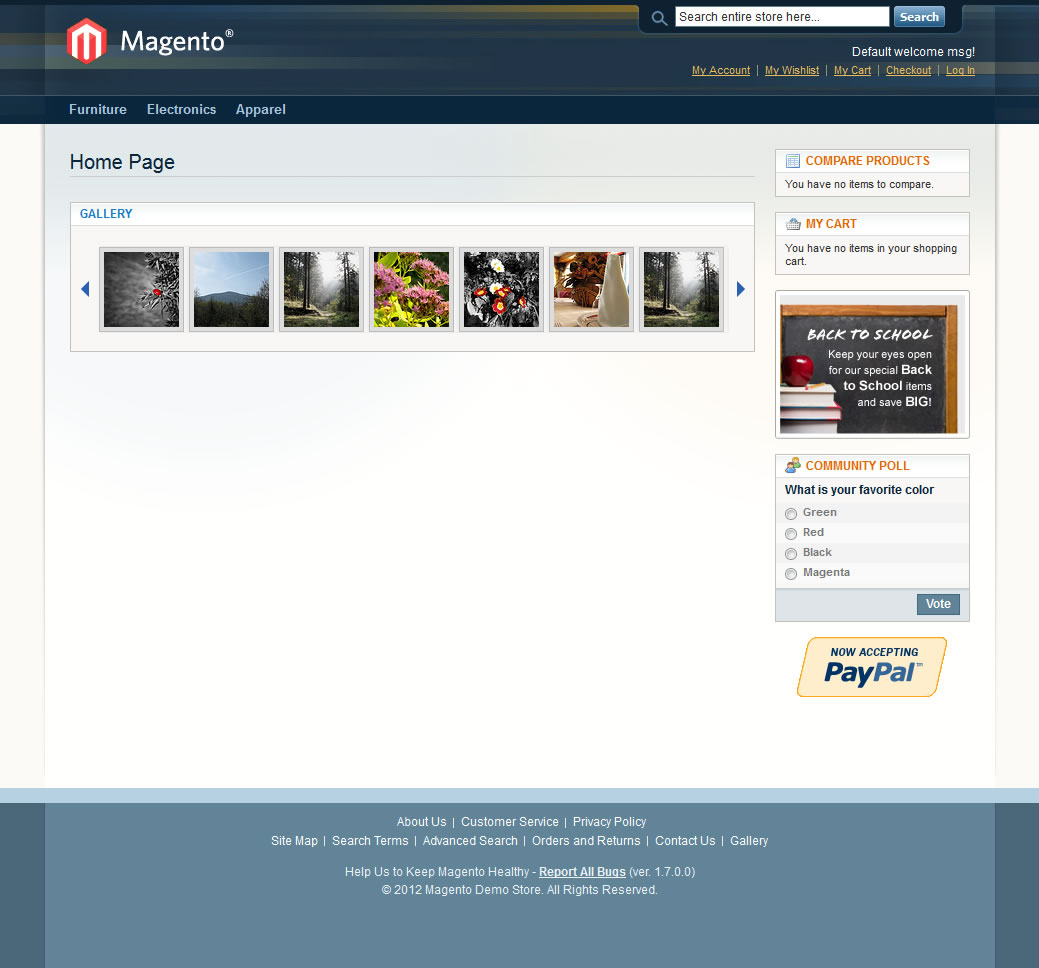
- Fully customizable carousel block that can be added to any page
- Fully customizable Flickr API response caching for increased performance
- Using AJAX to eliminate the page loading delay caused by Flickr API requests
How to install?
Download Inchoo Flickr Gallery extension files to your Magento root directory. You can find it on github at https://github.com/srka/Inchoo-Flickr-Gallery. Extension files will be extracted into the base package / default template so if you have your own package just copy the extension files to your package / template directories.
If you are logged in to your Magento back-end you have to log out and then log in again. Clearing the cache would also be a good idea.
Configuration
Inchoo Flickr Gallery extension is made to be fully and easily configurable from Magento back-end. Just go to System -> Configuration -> Inchoo -> Flickr Gallery to find all the available configuration options.
To get started you’ll need to have a Flickr API Key and User ID. Go to http://www.flickr.com/services/api/misc.api_keys.html to get your own Flickr API Key and http://idgettr.com/ for your User ID. Once you enter your API Key and User ID save your configuration and you will get the list of all the photosets available for the user specified with the User ID. You can select all of them or just the ones you want to show on the site and save your configuration. That should be enough get the gallery up and running.
All other configuration options are pretty straightforward with useful descriptions so there is no need to explain them separately.
How to access the gallery on the front-end?
By default, Inchoo Flickr Gallery extension adds a link to the footer but you can open the gallery directly at www.yoursite.com/gallery








44 comments
hi i have installed this extension but when i go to http://www.aquaholics.co.uk/gallery/ it just comes up 404 error?
thanks
Hi there,
I had an email today about the flickr API upgrade for SSL and I wanted to know whether we would be compatible with the current module. We are already using SSL in our website.
Flickr API Going SSL-Only on June 27th, 2014
We see that you own an active API key for the Flickr API, and wanted make sure you know about some upcoming changes to the API related to SSL.
As you may have read on the Flickr code blog, we’ve updated all of the API endpoints to fully support SSL. You no longer need to use a special subdomain to access the API securely, and we want to make sure that all API communication adopts SSL.
Many of you have moved over to using SSL already, which is great! If you haven’t, it shouldn’t be much more work than updating your apps to call the API at: https://api.flickr.com/
We’ll be updating the blog with information as we get close to the switchover date, but here’s the most important info:
New API keys will be issued for HTTPS access only: as of 6 May 2014
First blackout test window: 3 June 2014, 10:00-12:00 Pacific Daylight Time (PDT)
Second blackout test window: 17 June 2014, 18:00-20:00 (PDT)
Non-SSL API deprecated: 27 June 2014, 10:00 (PDT)
During the blackout tests and after the 27th of June, calls to the Flickr API that are not over SSL will fail with an HTTP error code 403. We will also return an error message with (Flickr) code 95 and msg “SSL is required”.
Here are example error responses:
XML (REST):
JSONP:
jsonFlickrApi({ “stat”: “fail”, “code”: “95”, “message”: “SSL is required” })
JSON:
{ “stat”: “fail”, “code”: “95”, “message”: “SSL is required” }
We realize that this change might be more difficult for some. We will follow the Developer Support Group closely, so please let us hear your questions.
If you have a question about the API transition to SSL that you feel is unique to your situation or is more appropriate to handle via conversation directly with Flickr, send an email to flickr-api-help@yahoo-inc.com. We will monitor that mailbox through July 2014.
Thank you for being a member of our API community,
The Flickreenos
Thanks
Kannan
Hi Inchoo,
I like the idea of the extension but unfortunately the lightbox effect is not working for me. I also have Mpycho_Jquery_Lightboxes installed and likely there is some conflict. I can get my images but all is completely static otherwise and images pop overriding the site view (thus navigation is lost)
At this point I would like to uninstall. What is the best process for doing so. I do not see the extension in the Magento Backend. Ideally the system would load and unload in that manner sometime in the future.
Please let me know how to uninstall.
thank you,
Hi Srdjan,
i struggle to get this extension running. In fact it is not giving me any errors. It only says on zamsato.com/gallery “There are no photosets in the gallery.” Which is not correct because they are there in flickr and public accessible. I tried to read out the variables but its seems that they have no values. I need some help. Has Flickr change the file structure?
Thanx or zikomo maningi as we say here in Zambia
Can the images uploaded in such gallery be used for the Products too. . .
For eg. we are uploading the product image on the Flickr and then we can just use the url of that image on our magento for the product and on the frontend when customer opens the product page the Image get loads form the external website ???
Pls Do reply at rvsomani@live.com
Great extension. Is it possible to add a particular photo set to a specific page? e.g. if I have 3 categories like T-Shirts, Shoes and Hats and 3 photosets named T-Shirts, Shoes and Hats, could they be added to their respective pages?
I installed your extension and entered the data however the photosets are not showing up in the admin and all I get is this page here listed > http://bisfireplaces4less.com/gallery/
Will
Hi Will,
Do you get any errors or warnings (in your logs) that could be useful to me. I can’t possibly know what is going on without some more info.
Hi Roy,
As of now this is not supported in the layout XML file (although it should be 🙂 ) so you can change it directly form the IndexController.php
Just go to the setAction function and change the $root->setTemplate(‘page/1column.phtml’); to any template you like.
Cheers.
Hi Srdjan, Is it possible to change the column structure of the gallery page? I would like to change it to 2 column with a left sidebar. Is this possible?
Thank you.
Hello,
I installed everything and configured it as described in manual. If i go to my website gallery i get:
Please wait, and I have waited 30 min but a set with just 2 photo’s must not load that long. What can I do to make this working?
Thanks. Just for reference for others, if you need to add it directly in the WYSIWIG content, add {{block type=”flickr/photosets” name=”flickrgalleycarousel” template=”inchoo/flickrgallery/carousel.phtml”}} instead.
Embedding Inchoo Flickr Gallery on CMS pages is currently not supported. You can, however, add a carousel.
Hi
Is there anyway to embed the Flickr gallery on a CMS page?
Thanks
Nancy
Hi alain, please check your folder permissions.
By the way, thanks to Jorge Pomer for pointing out the problem with file names that solved the most common error people seams to get. I did fix this a while ago but Git haven’t registered the capitalization change in file names so I had to do it properly this time. Changes are submitted to GitHub.
now i have Warning: include(): Unable to access Inchoo/Flickr/Model/Photoset/Tooltipstyles.php in /var/www/monhorloge.fr/magento/lib/Varien/Autoload.php on line 93 error
any idea ?
thanks
Yes works
This is Author Bug. But he don’t fix error in packet
It is amazing. To create bug extension is not professional.
The problem is a capitalize letter.
Renaming TooltipStyles.php to Tooltipstyles.php the error is solved.
You must rename to files, one in /Model/Carousel an other in /Model/Photoshet.
Thanks to Srdjan for this free and open extension
Hello
How to solve a problem?
Where is error?
In Extension? In Magento instalation?
in instalation extension?
Who wrong? how ot escape this error?
Best Regards
Hello
When Activate admin link System > Config > Inchoo> Flickr havea error Fatal error: Call to a member function toOptionArray() on a non-object in /home/html/magento17a/includes/src/Mage_Adminhtml_Block_System_Config_Form.php on line 463
Hi hotmonitor, this is a common error people seam to have. I will take a look at it once I have more time.
Hi!
The photosets are not loading in http://www.mysite.com/ page.
The log file shows the following:
2013-04-29T17:41:15+00:00 ERR (3): Notice: Undefined variable: _result in /home/mysite/app/code/community/Inchoo/Flickr/Block/Photosets.php on line 67
2013-04-29T17:41:29+00:00 ERR (3): Notice: Undefined variable: _result in /home/mysite/app/code/community/Inchoo/Flickr/Block/Photosets.php on line 67
2013-04-29T17:41:29+00:00 DEBUG (7): HEADERS ALREADY SENT: [0] /home/mysite/app/code/core/Mage/Core/Controller/Response/Http.php:52
[1] /home/mysite/lib/Zend/Controller/Response/Abstract.php:766
[2] /home/mysite/app/code/core/Mage/Core/Controller/Response/Http.php:83
[3] /home/mysite/app/code/core/Mage/Core/Controller/Varien/Front.php:188
[4] /home/mysite/app/code/core/Mage/Core/Model/App.php:354
[5] /home/mysite/app/Mage.php:683
[6] /home/mysite/index.php:87
Could anyone help me, please? What should I do?
Thanks
I am sorry but I cannot offer that kind of support right now. However you can post your problem here (errors, logs, …) so I can take a look. Alternatively, you can find me on Google plus if you don’t want to share your logs and other data with everyone (https://plus.google.com/u/0/104500404675619806351/).
Can you quote the setup, I want to get a site launched soon?
Hi Kevin,
Did you check your logs? There has to be an error log for HTTP error 500.
Did you check file permissions?
Regards,
Srdjan
Error I get when clicking on Flickr Gallery in configuration menu. (website url removed)
The website encountered an error while retrieving
http://www.website.com/index.php/admin/system_config/edit/section/flickrconfig/key/896470761f9ce83c1ab95792cb150baf/.
It may be down for maintenance or configured
incorrectly.
If anybody still have problems with the “String could not be parsed as XML” error please check if you have allow_url_fopen enabled in your php.ini (it needs to be enabled).
is this a new issue?:
any help is most appreciated…
/app/code/community/Inchoo/Flickr/Model/Photosets.php(8): SimpleXMLElement->__construct(”)
/app/code/core/Mage/Adminhtml/Block/System/Config/Form.php(463): Inchoo_Flickr_Model_Photosets->toOptionArray(true)
/app/code/core/Mage/Adminhtml/Block/System/Config/Form.php(229): Mage_Adminhtml_Block_System_Config_Form->initFields(Object(Varien_Data_Form_Element_Fieldset), Object(Mage_Core_Model_Config_Element),
/app/code/core/Mage/Adminhtml/Block/System/Config/Form.php(164): Mage_Adminhtml_Block_System_Config_Form->_initGroup(Object(Varien_Data_Form), Object(Mage_Core_Model_Config_Element),
/app/code/core/Mage/Adminhtml/Block/System/Config/Edit.php(92): Mage_Adminhtml_Block_System_Config_Form->initForm()
/app/code/core/Mage/Adminhtml/controllers/System/ConfigController.php(107): Mage_Adminhtml_Block_System_Config_Edit->initForm()
/app/code/core/Mage/Core/Controller/Varien/Action.php(419): Mage_Adminhtml_System_ConfigController->editAction()
/app/code/core/Mage/Core/Controller/Varien/Router/Standard.php(250): Mage_Core_Controller_Varien_Action->dispatch(‘edit’)
/app/code/core/Mage/Core/Controller/Varien/Front.php(176): Mage_Core_Controller_Varien_Router_Standard->match(Object(Mage_Core_Controller_Request_Http))
/app/code/core/Mage/Core/Model/App.php(354): Mage_Core_Controller_Varien_Front->dispatch()
/app/Mage.php(683): Mage_Core_Model_App->run(Array)
/index.php(87): Mage::run(”, ‘store’)
Thank you all for the valuable feedback. I finally found some time to work on it so I changed the file and folder names to be uppercase which should make it work on UNIX based systems. You can update the code from github.
Gallery cannot be added to the CMS pages, only carousel can by adding the following line of code to your layout XML files or layout update:
For now there is no easy way of changing the URL path of the gallery.
Hello, Can anybody tell me what exact changes needs to be done regarding the file name. The extension runs smooth in Windows but in Linux it’s giving a lot of error.
Thanks in advance,
Rupak Banerjee.
Do you have any extension for- “selecting images from facebook album & upload to magento site”?
Be great if someone could get this module working in Linux as there does not seem to be any alternative modules in existance that connects to an external image hosting solution.
I’ve got as far as the “
” error.
Hi Shailesh,
is it working for you on linux based server. If yes, can you please let me know what fix you did it to run the same.
Thanks,
Dilip G
for those who have installed in windows environment they should be having no issues.
@paul
Hello Paul,
also, check the system.log and logs in /report folder…. when I had fixed the path the admin interface ran fine but photosets were still not loading in the /gallery page…I figured it haven’t created the “flickr” table in magento database. So i had manually created it and it ran fine after that.
But client have another gallery installed and it outputs to the same /gallery url. Is there any way to change this extension’s output to some other custom link? or embed it in some CMS page?
i too had the
Fatal error: Call to a member function toOptionArray() on a non-object in /home/cmdmagen/public_html/saratiara.com/app/code/core/Mage/Adminhtml/Block/System/Config/Form.php on line 427
Shailesh – thank you for your troubleshooting, its got it back up and running.
for those of you still with problems, check the folder & file names very carefully from these listed in Shailesh error file listed in this comment area.
sadly the http://www.yoursite.com/gallery link is not loading the gallery, i got the API key and it pulled back the photosets i created. just the standard WHOOPS, OUR BAD…page ummm what else can i try
is it possible to add it in cms page? or change the default url – /gallery to something else?
In /report folder latest error report says –
“a:5:{i:0;s:96:”SQLSTATE[42S02]: Base table or view not found: 1146 Table ‘maxbilt_magento.flickr’ doesn’t exist”;i:1;s:2722:”#0 /home/maxbilt/public_html/lib/Varien/Db/Statement/Pdo/Mysql.php(110): Zend_Db_Statement_Pdo->_execute(Array)”
It’s still not working under UNIX. In my previous comment those steps fixed the Inchoo Gallery configuration
System -> Configuration -> Inchoo -> Flickr Gallery
but the gallery itself isn’t working on mysite.com/gallery
the latest error in logfile says –
“2012-07-18T13:50:13+00:00 ERR (3): Warning: array_key_exists() [function.array-key-exists]: The first argument should be either a string or an integer in /home/maxbilt/public_html/app/code/core/Mage/Core/Model/Translate.php on line 564″
Please help!
Figured it out by myself…its a very silly error but you guys should have checked it before uploading and it could have saved lots of time in troubleshooting.
I first tried it in my local windows machine and it ran out of the box but in unix file/folder names are case-sensitive.
Checking the log file and comparing the folder structure revealed that some files and folders under “/app/code/community/Inchoo/Flickr” had different letter cases. system.log file had lots of errors like file stream not found…
Here is my log file –
http://pastebin.com/raw.php?i=8TD7vGdT
I just changed the cases in the missing file/folder names and it ran fine like a charm!
Hope this helps others till Inchoo fixes it.
Thanks to Inchoo for such a nice extension.
Thank you shailesh for taking time to fix the issue. Please note that the module is not completely tested (that why it’s on GitHub).
Installed it in magento 1.6, refreshed cache, logged out of admin.
Going to – System -> Configuration -> Inchoo -> Flickr Gallery is throwing the following error –
Fatal error: Call to a member function toOptionArray() on a non-object in /home/maxbilt/public_html/app/code/core/Mage/Adminhtml/Block/System/Config/Form.php on line 421
Any Ideas? Help please!
Maybe the code on line 427 of mine is not the same as yours. You could check the value of $factoryName.
$factoryName = (string)$e->source_model;
$method = false;
if (preg_match(‘/^([^:]+?)::([^:]+?)$/’, $factoryName, $matches)) {
array_shift($matches);
list($factoryName, $method) = array_values($matches);
}
$sourceModel = Mage::getSingleton($factoryName);
I get this error when I try to access the configuration panel:
Any ideas what would be causing this?
Mage::helper(‘unicache’)->cacheExpired([ITEM-NAME]);
Check if cached item with the specified [ITEM-NAME] has expired. Expired time is calculated by adding item timeout to the last updated time. If the expired time is greater than current time the function will return true, otherwise it will return true. If there is no cached item with the specified [ITEM-NAME] the function will return true.
SHOULD BE
Mage::helper(‘unicache’)->cacheExpired([ITEM-NAME]);
Check if cached item with the specified [ITEM-NAME] has expired. Expired time is calculated by adding item timeout to the last updated time. If the expired time is greater than current time the function will return true, otherwise it will return false. If there is no cached item with the specified [ITEM-NAME] the function will return false.