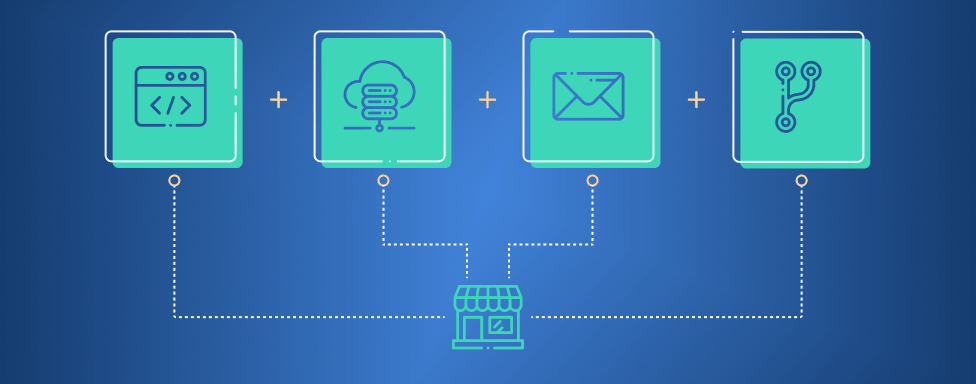
When planning to hand over a store to a new team, you need to have technical work scoped and the plan agreed, but there is one thing that is often overlooked or poorly prepared – access.
That’s why most migrations don’t stall on the code. They stall because someone is waiting for credentials, or a decision/clearence to access something. And it usually happens at the worst possible moment, right before a planned launch or a peak season.
So before we touch anything, we ask for a specific set of access and information. Some of it is genuinely mandatory, meaning the migration cannot be completed without it. The rest makes everything faster and less dependent on other people being available.
Here’s the whole list, and why each item is on it.
SSH Access to the Production Server
Mandatory. Without it, a complete and correct data migration is not possible. This is what lets us see the code, data, and configuration exactly as they are in production.
The account we get needs:
- Read and write permissions on the directory where Magento is installed.
- Database access with the ability to export both the data and the full structure.
- Access to the crontab – so we know what is actually scheduled, not what someone remembers scheduling.
A read-only account or a “we’ll send you a dump” arrangement is not the same thing. We prefer to do it ourselves, as at the same time we are looking at measuring performance, calculating downtime, and examining custom changes to configuration itself.
Composer Keys
Mandatory. These give us access to purchased extensions and other licensed packages. Without them, we would be unable to perform further updates and system maintenance.
We usually find the keys on the server, in auth.json or in the environment config, but not always. If they are not found on the server, they can easily be fetched from the marketplace itself.
DNS and WAF Access
Mandatory. In most cases this means Cloudflare.
This is the one clients push back on most, and the one we are least willing to compromise on. We need access to:
- modify DNS records
- use the Web Application Firewall
- manage speed, SSL, caching and similar settings
Since this is a rather important part, we wrote about that in a separate post, and it is worth a read: Why Your Web Agency Needs Access to Your Cloudflare Account.
To be clear about what we’re asking for: the account and the domain stay yours. We need a member account with the right scope, not ownership. And we need the access just to the domain where your shop sits, not the others that are potentially under the same account.
SMTP
We need to know what’s there. Your transactional emails are an important communication method with your customers, and we need to make sure they reach them properly. And to do that, we need to know “who” sends the emails: the server where Magento is hosted, or do you utilize another service to do so. Either way is fine and can be tuned to your needs, but it makes a difference in planning, required access and it infulences the timeline.
And just to be clear, we need only information about this upfront so we can plan properly. Actual plan and details – we will work on creating this one with you, but timely information is critical for this.
Mailboxes
We need to know what’s there. Often we encounter that the server where Magento is hosted not only sends emails, but also serves as a complete mail solution. Finding out this too late into the migration can be problematic, as you risk that emails no longer work on the new solution.
Having this information on time allows us to plan mailbox migration as well, and ensures that everything goes smoothly without hurting email deliverability. Similar to above, information is critical here; we will work on the plan together.
Git Repository Access
Not mandatory, but it saves us time. Access to the repository gives us insights into history, branch structure, and a picture of how the project was actually built. It often provides valuable info behind decisions that have been made, which are otherwise unclear from documentation and code itself.
There is one case where it stops being optional, and that’s if there is a specific half-developed feature that we need to finish after the migration. In that case, we need access to unfinished work that sits in the repository.
Everything Else: Extensions, Integrations, Sandboxes
For every module, extension, and external integration in the project, it helps to have:
- Vendor portal accounts for license management and updates.
- Sandbox and test credentials, wherever they exist.
This one is actually not required for the migration itself, but for the first day after it, as it helps us maintain the system stable. Without the sandbox access, we will not be in a position to test critical paths and processes on the store when performing updates or any other change on your Magento store.
A Direct Line to the Technical Team
If there’s a technical team on the other side, it helps if we have a direct line of communication with them. Whether that’s a previous agency or hosting, it helps if we can talk directly with them. Routing technical questions through a Web Commerce Manager or a similar role slows everything down and loses detail along the way.

This isn’t about cutting anyone out; commercial decisions and project communication stay where they belong. It’s just that technical questions need a technical channel.
The Handover Checklist
Here’s the short version, in the order I’d chase it:
Can’t start without these:
- SSH access to production, with crontab, read and write on the Magento directory, and full database export rights
- Composer keys, verified against the vendor accounts and not just the copy on the server
- DNS access at member level, with permission to edit records
- WAF and CDN access, usually Cloudflare, scoped to the relevant domain
Needed before migration day, not on it:
- Info about email sending and where mailboxes are hosted
- A named technical contact, reachable directly
Makes everything faster:
- Git repository access, mandatory if there’s a development branch we’re taking over
- Vendor portal accounts for every paid extension
- Sandbox credentials for ERP, payment, shipping and any other integration
- A list of cron jobs, third-party scripts and integrations expected to keep running after the move
Sort This Out Early
Every item on that list is easy to arrange while the project is being planned and expensive to arrange while the site is on fire. That’s really the whole point of the post.
If you’re planning to move your store to a new team, a new server, or a Hyvä-powered frontend, this is a reasonable place to start the conversation. And if you’d like us to go through the list against your current setup, take a look at our Magento 2 migration service or just get in touch. We’re happy to help!