Magento eCommerce agency, crafting captivating and impactful eCommerce stores
Our dynamic team thrives on pushing boundaries, delivering innovative solutions that propel businesses to new heights.

-

Magento Development
Let us handle the technical aspects so you can focus on what matters most – growing your business.
Custom Magento Development Magento 2 Migration Magento Technical Audit -

Magento UX/UI Design
Combining creativity with research, we set you up with a high-converting design that leaves a lasting impression.
Magento Design UX Audit -

Magento Digital Marketing
We’re your ally in increasing traffic, conversions, and revenue rates for your Magento eCommerce.
Magento SEO SEO Audit -

Magento Data Analytics
Our top priority is ensuring your data in GA4 and GTM aligns precisely with your unique needs.
GA4 & GTM Support GA4 & GTM Audit
Many people from Magento Community say that they used this site to learn Magento and get insight into eCommerce trends.
-

eCommerce Automotive eBook
-
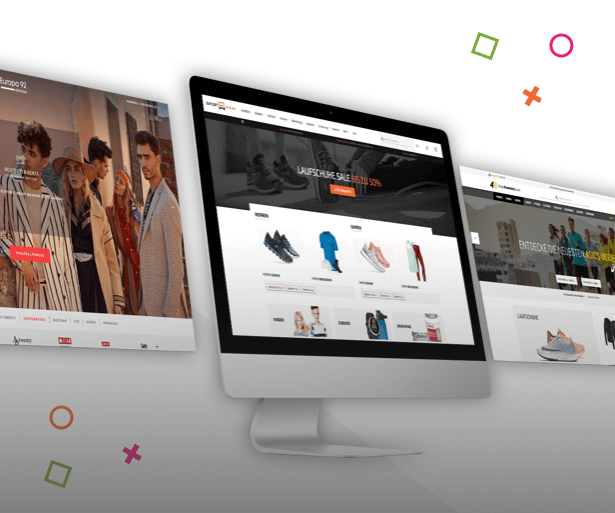
Need incremental changes or a custom design for your store?
-


What is Mage-OS and Why Did We Join?
-
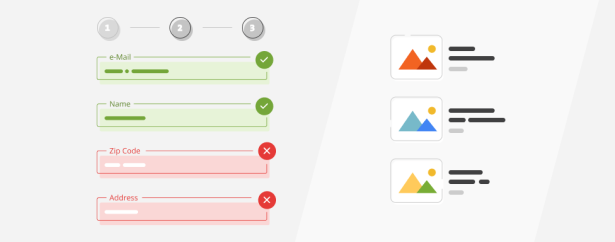

Deep Dive into Validation Rules
-


A 10-Year Milestone: Interview with our CTO
-

Navigating the Future: A Recap of eCommerce Trends in 2023
-


How Do I Assess the Quality of My Landing Pages in an eCommerce PPC Audit?
-


How to Prepare PPC Campaigns for Christmas
-

The Top 5 eCommerce PPC Mistakes to Avoid
-

8 Key PPC Strategies for Black Friday
-

Is Hyvä Your Next Magento Frontend Solution?
-
Why Should eCommerce Business Owners Prioritize PPC Audit?
-
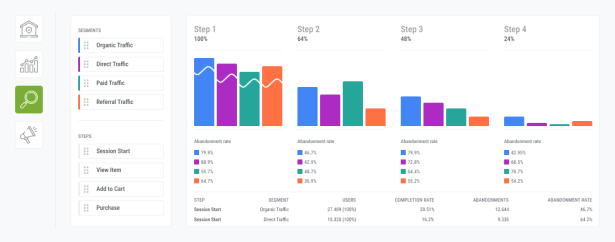

GA4 Funnel Exploration Report
-


Google Ads for Amazon Products
-

Google Analytics 4 (GA4) Self-Audit
Go to our blog and find more interesting articles about the eCommerce and Magento world.
Recognized & certified Magento eCommerce agency

Adobe Solution Partner
Technical excellence, years of experience, deep knowledge and passion for eCommerce are all built in in each and every store we deliver.

Top eCommerce Developers
We think we’re pretty great, but independent reviews gathered from our clients pushed us on the Top eCommerce developers list couple of years in a row. Read those reviews and get back to us.

Google Premier Partner
We are among one of the top companies within our country that has met all of the Partner requirements. Learn more about the Google Partners program on this link.
What our clients say about us
From the moment we approached Inchoo to develop our new Zee&Co responsive website, we were impressed with their highly skilled developers and Magento knowledge. The whole team took the time to understand our requirements and made recommendations based on our business demands. The result is a device responsive website which provides customers with a user friendly experience and increased conversions.

I wanted to take a quick moment to thank the entire Inchoo team that worked with me on our project. It’s been an absolute pleasure. Being a relatively new business and having experienced the other end of Magento developers, it was clear that finding a team of people that had the right values and pride in their work, just like we do, shouldn’t be underestimated. So it was a big relief to have found the right fit for us with Inchoo. While it’s still early days, I couldn’t be more pleased with results since launching our new site. We look forward to bigger things to come.

Dear Inchooers & Plusers, Yesterday Ivica, team Manaus and Branko from Plus Hosting succesfully launched the new www.sheeel.com – one of the first adaptive Magento websites. A big thank to everyone in Team Inchoo and Plus Hosting for make this a success. While we still have some work to do, the mass reaction from our customers was positive and in awe of the new website. I look forward to more great things done at Sheeel and more awesome projects to work with Inchoo and Plus. On behalf of the entire Taw9eel eCommerce Team – Thank you for making it the most kick-ass website in the Middle East!

We came to Inchoo with a project to salvage, and they helped us tackle that and more! They are fantastic to work with and are always there when something comes up that needs to be addressed, big or small. They are able to evaluate projects to find the best path forward for the needs of A1Supplements and our customers! We look forward to continuing our development relationship to keep our A1Supplements website ahead of the game!

We are working with Inchoo for over 5 years and we are really happy with our collaboration. We were especially pleased that the team working on our project joined us in our offices in Germany for a planning phase of the new project. Their organization and work are top levels. We are really happy to have such an amazing technical partner on our side and we are sure that Inchoo will help us to grow further in our eCommerce strategy.