Featured products on Magento frontpage

102 Comments 22nd JUL 2008 | Posted by Tomislav Bilic in Magento

Featured products on Magento frontpage

Featured Products by Inchoo blog articleNote: This is one of our older posts that describes how to add featured product to the Magento home page. Meanwhile, we developed a Magento Community extension: Featured Products by Inchoo. We advise you to use it with Magento Connect in case you need featured products functionality.

Old article content is below:

This tutorial was developed with the help from brandondrew‘s Magento wiki post How To Create a Featured Product. Original tutorial placed featured products in each category to the top of category display. This one will place them to the Magento frontpage as I believe this is something many users will require.

What is featured product?
The Featured Product is a product with an attribute added from the administrative UI. When the administrator selects “Yes” in the “Featured” attribute, that product will be displayed in a content block on the category page.

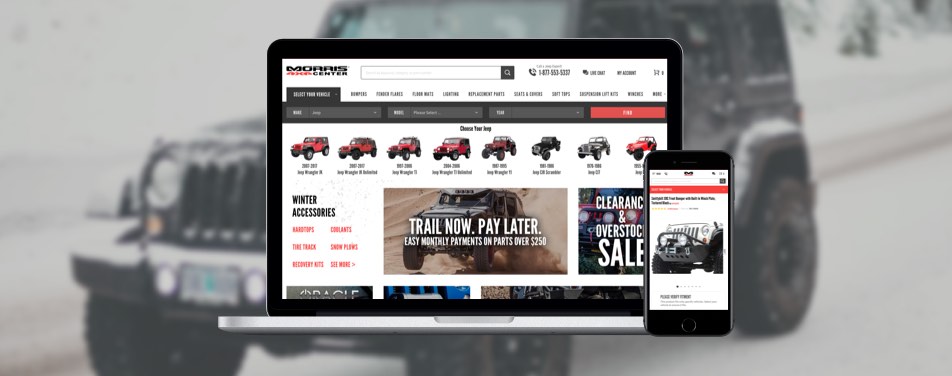
Take a look at TeraFlex Suspensions to see this work in action on live site.

Step-by-step guide

Step 1: Create new Featured attribute

Create a new attribute by going to Catalog > Attributes > Manage Attributes > Add New Attribute.

Attribute Properties

  • Attribute Identifier: featured
  • Scope: Store View
  • Catalog Input Type for Store Owner: Yes/No
  • Unique Value (not shared with other products): No
  • Values Required: No
  • Input Validation for Store Owner: None
  • Apply To: All Product Types

Front End Properties

  • Use in quick search: No
  • Use in advanced search: Yes
  • Comparable on Front-end: No
  • Use In Layered Navigation (Can be used only with catalog input type ‘Dropdown’): No
  • Visible on Catalog Pages on Front-end: Yes

Manage Label/Options

  • Default: Featured Product
  • English: Featured Product

Save the new attribute and go to Catalog ? Attributes ? Manage Attributes Sets to add the attribute to the default feature set.

Step 2: Create new block class that will instantiate the featured product

Create a new file, and directories: app/code/local/MyCompany/Catalog/Block/Product/Featured.php

< ?php
class MyCompany_Catalog_Block_Product_Featured extends Mage_Catalog_Block_Product_Abstract
{
public function getFeaturedProducts() {
$resource = Mage::getSingleton('core/resource');
$read = $resource->getConnection('catalog_read');
$productEntityIntTable = (string)Mage::getConfig()->getTablePrefix() . 'catalog_product_entity_int';
$eavAttributeTable = $resource->getTableName('eav/attribute');
$categoryProductTable = $resource->getTableName('catalog/category_product');

$select = $read->select()
->distinct(true)
->from(array('cp'=>$categoryProductTable), 'product_id')
->join(array('pei'=>$productEntityIntTable), 'pei.entity_id=cp.product_id', array())
->joinNatural(array('ea'=>$eavAttributeTable))
->where('pei.value=1')
->where('ea.attribute_code="featured"');

$res = $read->fetchAll($select);
return $res;
}
}
?>

Step 3: Extend Mage_Page_Block_Html

Create a new file, and directories: app/code/local/MyCompany/Page/Block/Html.php

< ?php

class MyCompany_Mage_Page_Block_Html extends Mage_Page_Block_Html
{
public function getFeaturedProductHtml()
{
return $this->getBlockHtml('product_featured');
}
}

Step 4: Add new blocks to the app/etc/local.xml

Add the following inside the config global tag:

<blocks>
<catalog>
<rewrite>
<product_featured>MyCompany_Catalog_Block_Product_Featured</product_featured>
</rewrite>
</catalog>
</blocks>

Step 5: echo featured products HTML

Place the following code to the file: app/design/frontend/default/default/template/catalog/product/featured.phtml

< ?php $featured_products = $this->getFeaturedProducts(); ?>
< ?php shuffle($featured_products); ?>
<div class="box recently" style="padding-left:15px; padding-right:15px;">
<h3>< ?php echo $this->__('Featured Products') ?></h3>
<div class="listing-type-grid  catalog-listing">
< ?php $_collectionSize = count($featured_products) ?>
<table cellspacing="0" class="recently-list" id="product-list-table">
< ?php $i=0; foreach ($featured_products as $_res): ?>
< ?php $_product = Mage::getModel('catalog/product')->load($_res['product_id']); ?>
< ?php if ($i++%3==0): ?>
<tr>
< ?php endif ?>
<td>
<div>
<a href="<?php echo $_product->getProductUrl() ?>" title="< ?php echo $this->htmlEscape($_product->getName()) ?>">
<img class="product-image" src="<?php echo $this-/>helper('catalog/image')->init($_product, 'small_image')->resize(135, 135); ?>" width="135" height="135" alt="< ?php echo $this->htmlEscape($_product->getName()) ?>" />
</a>
</div>
<p><a class="product-name" href="<?php echo $_product->getProductUrl() ?>" title="< ?php echo $this->htmlEscape($_product->getName()) ?>)">< ?php echo $this->htmlEscape($_product->getName()) ?></a></p>
< ?php echo $this->getReviewsSummaryHtml($_product, 'short') ?>
</td>
< ?php if ($i%3==0 &amp;amp;amp;amp;amp;&amp;amp;amp;amp;amp; $i!=$_collectionSize): ?>
</tr>
< ?php endif ?>
< ?php endforeach ?>
< ?php for($i;$i%3!=0;$i++): ?>
<td class="empty-product">&amp;amp;amp;amp;amp;nbsp;</td>
< ?php endfor ?>
< ?php if ($i%3==0): ?>

< ?php endif ?>
</table>
<script type="text/javascript">decorateTable('product-list-table')</script>
</div>
</div>

Step 6: Add Featured Products block to the frontpage

As the last step, you have to place featured product box to the frontpage. So, go to Magento administration to CMS> Manage Pages and select home page (or any other if you wish to place featured products in separate page)
Place the following line in Content area:

{{block type="catalog/product_featured" name="product_featured" as="product_featured" template="catalog/product/featured.phtml}}

Note: Why you copy/paste the code, be sure that you replace < ?php with proper openings. My existing WordPress module is not perfect.

If you like what you read, please share it.

  • Digg
  • del.icio.us
  • Facebook
  • Google Bookmarks
  • Yahoo! Bookmarks
  • Reddit
  • Technorati
  • Twitter
  • StumbleUpon
  • LinkedIn
  • Netvibes
  • NewsVine
  • Sphinn
  • Tumblr
  • Posterous

To post code in comments, place your code inside [code] and [/code] tags.

There are 102 comments (Add Yours +)

  • Bravo, prvi ste u Hrvatskoj koji uo?avate fantasti?an potencijal Magentoa, a ovim blogom pomažete prvim korisnicima da ga koriste na kreativniji na?in.
    Za moju djelatnost je važna primjena novih mogu?nosti v1.1.1 i to Bundled products i Virtual Products. O tome još nikakvog tutoriala nema. Možete li Vi dati i tu svoj doprinos?

  • Alessandro Says

    I’m trying to make it work, but nothing happens. I followed all the steps, but I cannot see anything on my homepage… I’m using Magento 1.1.1
    What could be wrong?
    Thanks

  • Peter John Says

    for the past two days i am using your feature product tutorial. After doing every thing as said
    i still get an error

    Fatal error: Class ‘Mage_”catalog_Block_Product_Featured”’ not found in /var/www/html2/magento8/app/code/core/Mage/Core/Model/Layout.php on line 345

    please help me ASAP!
    Peter
    6/8/2008

  • Hi,

    does this work with Magento 1.1.2 ??

    Thank you

  • Tomislav Bilic Says

    Hi guys,
    I guess it would be the best that I review the code once again to be 100% sure that it works. Looks like I missed something in the explanation because it doesn’t work to some for some of you. ;)

  • Hi,

    i’m bigining in Magento, and i try to execute this code, but it doesn’t work,
    and i dont’ now why :S

    thank you

  • I tried this too, couldnt get it working.

  • Same here, followed the instruction exactly, but after adding the block in the CMS editor nothing shows up.

  • First of all, quotation mark is missing in Step. 6:

    {{block type=”catalog/product_featured” name=”product_featured” as=”product_featured” template=”catalog/product/featured.phtml”}}

  • Tomislav Bilic Says

    Hi guys,

    You are correct, the instructions don’t work with the latest version of Magento. I will update the post later today with the new instructions. Live example is visible on: http://www.teraflex.biz/

  • Ky Nguyen Says

    I also tried this, and couldn’t make it work. Nothing appeared on the homepage. One more thing is that, when I create Attribute, the combo box “Catalog Input Type for Store Owner” is disabled and stick with Text Field, so I couldn’t choose Yes/No Type.
    I’m using version 1.1.3.
    Anyone had this problem before? :-S

    Thanks all

  • did you have updated the post for the latest version ?

    thks

  • Tomislav Bilic Says

    Hi Zerax,
    Yes, I did update it just yesterday. It should work now with latest version.

  • Hey Tom, it’s working in 1.1.3 – thanks a bunch!!

    Minor issues:
    1. There is a bug in featured.phtml, line 16 (should be: this->helper)
    2. Step 6.: isn’t there a ” needed at the end of catalog/product/featured.phtml (works without it anyway)

    3. Products show up in random order (from your code it looks like it is how select works rather than intentional?) – which may or may not be a good thing.
    4. Prices are missing (it’s probably intentional) – but that should be very easy to add.

    Anyhow, great work. Would love to know your opinions on 3. and 4., too.

    -marek

  • Tomislav Bilic Says

    Hi marek,
    Thanks for this. Corry for code issues. That was all copy/paste, but the WordPress transfers the code to HTML variants and the display can be invalid with some characters. I must find some other WordPress plugin to insert code.

    I’m very glad that it works finally.

  • Save yourself some time.

    Just create a new category called featured and put it under root instead of root catalog so it doesn’t shop up in the category nav.

    Make sure the products you want are in this category as well and note the category id (from the url in the admin section).

    Then use the following code to insert the block on your home page (My featured products category had an id of 36)

    {{block type=”catalog/product_list” category_id=”6″ template=”catalog/product/list.phtml”}}

    You could also copy the list file and make the necessary changes so the featured products conform to your list. Save the file as featured_list.phtml or something and then use template=”catalog/product/featured_list.phtml”

    Seems a bit easier to me than going through those steps above.

  • Naresh Vajawat Says

    I am still getting an error. I am not sure if the folder creation under app/code is important and if they are not there do we create just the 2 folders that are defined in step 2 and 3 ? I replace MyCompany with the name of my company at all places. Please let me know what cud be the issue. I am using Magento Version 1.6

    Below is the error i recieve.

    getConnection(‘catalog_read’); $productEntityIntTable = (string)Mage::getConfig()->getTablePrefix() . ‘catalog_product_entity_int’; $eavAttributeTable = $resource->getTableName(‘eav/attribute’); $categoryProductTable = $resource->getTableName(‘catalog/category_product’); $select = $read->select() ->distinct(true) ->from(array(‘cp’=>$categoryProductTable), ‘product_id’) ->join(array(‘pei’=>$productEntityIntTable), ‘pei.entity_id=cp.product_id’, array()) ->joinNatural(array(‘ea’=>$eavAttributeTable)) ->where(‘pei.value=1′) ->where(‘ea.attribute_code=”featured”‘); $res = $read->fetchAll($select); return $res; } } ?> getConnection(‘catalog_read’); $productEntityIntTable = (string)Mage::getConfig()->getTablePrefix() . ‘catalog_product_entity_int’; $eavAttributeTable = $resource->getTableName(‘eav/attribute’); $categoryProductTable = $resource->getTableName(‘catalog/category_product’); $select = $read->select() ->distinct(true) ->from(array(‘cp’=>$categoryProductTable), ‘product_id’) ->join(array(‘pei’=>$productEntityIntTable), ‘pei.entity_id=cp.product_id’, array()) ->joinNatural(array(‘ea’=>$eavAttributeTable)) ->where(‘pei.value=1′) ->where(‘ea.attribute_code=”featured”‘); $res = $read->fetchAll($select); return $res; } } ?>
    Fatal error: Class ‘Mage_Catalog_Block_Product_Featured’ not found in /Applications/MAMP/htdocs/magento/app/code/core/Mage/Core/Model/Layout.php on line 451

  • hi,
    for me not work, I use the 1.0.19870.4 version of magento
    I got the following message:
    Warning: include (Mage \ Core \ Templates \ Resource &. Php) [function.include]: failed to open stream: No such file or directory in C: \ wamp \ www \ magento_carla \ app \ code \ core \ Mage \ Core \ functions.php on line 44.
    You have an idea for me?
    Thank

  • Hi

    Could we get an update of the instructions so it works with version 1.1.6 please

    denis

  • Vitor Braga Says

    Man, thanks A LOT for this tuto!

    Works perfectly, in Magento 1.1.6!

    Thanks again!

  • Thanks man. I also tested it with Magento 1.1.6 and it worked well. Some guys from previous comments told me that it doesn’t work with latest version, but looks like they missed something.

    Cheers man. If you have some URL where we can see it in action, let me know.

  • Isnt there a better way to do this using the static blocks in the CMS? Then you can insert using drop downs.

  • for those who failed to,
    the home page code:

    {{block type=”catalog/product_featured” name=”product_featured” as=”product_featured” template=”catalog/product/featured.phtml”}}

    and the others files http://rapidshare.com/files/155405678/magento.zip

  • Haroon Ali Shah Says

    Hi,

    Fantastic article. Its a very boosting step for starter like me in magento. Please if you could explain more the line like
    1) $eavAttributeTable = $resource->getTableName(‘eav/attribute’); AND
    2) $categoryProductTable = $resource->getTableName(‘catalog/category_product’);
    $select = $read->select()->distinct(true)->from(array(‘cp’=>$categoryProductTable), ‘product_id’)->join(array(‘pei’=>$productEntityIntTable), ‘pei.entity_id=cp.product_id’, array())->joinNatural(array(‘ea’=>$eavAttributeTable))->where(‘pei.value=1′)->where(‘ea.attribute_code=”featured”‘);

  • Hi everybody, i have fallow this tuto on magento 1.6 and it doesn’t work…. none appear on homepage!!
    I have do this tuto three times and …..

    HELP HELP HELP

  • I don’t know why but now it run !!!!
    Anyone can ask to me how one passes the block featured in the sidebar with Juste a random article of available in this block ?

  • Thanks, love this feature. Downloaded the zip file and setup as per instructions, confirmed working in 1.1.5. If you are having problems getting this working, make sure that the ‘feature product/s’ is in a category. Took me a while to figure out that’s why it wasn’t working for me, but all good now. Thanks again.

  • Can anyone confirm that setting up a category called featured works on 1.1.6?

  • works perfectly in 1.1.6, thanks for this tutorial…

  • I tried to follow this the best I could, but nothing comes up on my home page. I am not sure what I am doing wrong, but I swear I have everything perfect. Any ideas of what I may be doing wrong?

  • Running Magento 1.1.6 and this doesn’t work.

    I followed the tutorial exactly, when that didn’t work I downloaded the zipfile mentioned in the comments and used those files. Still nothing.

    I gotta say, for all the power of Magento, it has to be one of the biggest hassles to work with.. The fact that it doesn’t already have some sort of featured product capability is highly annoying.

  • This is very cool – thanks for taking the time to document this.
    I have an issue in that my product is in one category only and I would like it to include the path information as well ie site.com/products/trousers/brown-cool-trousers.html
    Do you know if this is possible or if it should do it anyway and I have set it up incorrectly?
    Cheers

  • Hello Everybody,

    I have followed this tutorial a couple of times and also use the downloaded zip file but it is not working on magento 1.6 and nothing is appearing on home page!!

    Let me know anybody has done it on 1.6

  • Running 1.1.6 and got this going no problem with the instructions above.. For those having issues, just check the code in your own files.. for example in step 5 I had to correct all the php open tags, from “< ?php” to “helper(‘catalog/image’)” needs to be “$this->helper(‘catalog/image’)”
    line 22 “&&” needs to be “&&”
    line 27 “&nbsp;” needs to be “ ”

    I hope the doesnt mess up these correction..

    I do have a question as well.. How would I ge about getting an RSS feed of the featured products?? Thanks!!

  • Nope.. WP seems to have messed with the code corrections.. just look at those line numbers and make you should be able to see what needs correcting.. assuming you know PHP..

  • I too spent hours making sure every bit of code was correct and each file was in the proper place, but still nothing on the home page. Any idea as to what we are missing? I suspect that it is some configuration issue in the admin console (categories maybe?). Can you give us some information on just what needs to be in place for this to work. Thanks!

  • Yes I’ve had the same issue above, I’ve checked the code and also tried to view some other examples but no success at least with this tutorial on Magento 1.1.8

    Any Ideas what might be the issue?

  • I had problems with different store views showing same featured products. I added

    ->where(‘pei.store_id=’ . Mage::app()->getStore()->getId())

    to my Featured.php.

    Skadoosh! Works now!

    Thanks!

  • Does this tutorial works with 1.2 ?

  • vikramjeet Says

    thanks for the tutorials

  • Hey, thanks for this brilliant code, just so you know it still works brilliantly on Magento ver. 1.2.0.2, except for this : app/design/frontend/default/default/template/catalog/product/featured.phtml which should be replaced by (mentioned above if I’m not mistaken)

    i) Line 16 : <img class=”product-image” src=”helper(‘catalog/image’)->init($_product, ‘small_image’)->resize(135, 135); ?>” width=”135″ height=”135″ alt=”htmlEscape($_product->getName()) ?>” />

    ii) Line 22 :

  • ii) Line 22 : && should be replaced by &&

  • having run through this and faced issues I suggest downloading the post using the post from Talski on 19th October, @ 7.23
    [quote]
    Talski Said on October 19th, 2008 at 7:23

    for those who failed to,
    the home page code:

    {{block type=”catalog/product_featured” name=”product_featured” as=”product_featured” template=”catalog/product/featured.phtml”}}

    and the others files http://rapidshare.com/files/155405678/magento.zip

    [/quote]

    1. download the rapidshare files.
    2. Backup your local.xml file before hand. Then refer to the backup for the key, host, username, password, dbname and active.
    3. copy all new files over, into appropriate directories as detailed in the original post

    done .. ;)

  • Kuldip gayan Says

    Not able to configure featured product for home page. Can you please help me on this. I created feature attribute and put this under “Default” attribute set with Featured. Now, i also put the code packet provided in step 6 under content area of home page. But nothing happen. Can you please help me understand on this. I am using magento 1.1.2

  • There are something messed up in the codes!
    Please follow this strictly to get it working.
    NOTE: UPPERCASE AND LOWERCASE MATTERS IN THESE CODES.
    1. The attribute. This step is exactly same as the tutorial. I just make it shorter.
    -> Create new attribute with the following settings:
    –> Code: fetured
    –> Input type: Yes/No
    –> Advanced search: Yes
    –> Visible in Frontend: Yes
    –> Label: Featured Product
    (Please leave the other factors of the attribute untouched. )
    -> Add the attribute to the attribute sets. You may add this attribute to all attribute sets as you like.

    2. Create folders and download the corresponding files:

    Note: uppercases and lowercases matter! If you have downloaded a file with wrong extension (for example, Featured.php.html instead of Featured.php, please correct it mannually. This might be added by rapidshare.com. This version is also the same but you won’t suffer from code mess.

    –> app/code/local/MyCompany/Catalog/Block/Product/Featured.php
    file url: http://rapidshare.com/files/194998180/Featured.php.html
    –> app/code/local/MyCompany/Page/Block/Html.php
    file url:http://rapidshare.com/files/194998181/Html.php.html
    –>app/design/frontend/default/default/template/catalog/product/featured.phtml
    file url: http://rapidshare.com/files/194998182/featured.phtml.html

    3. The modifications to existing files:

    –> same as “Step 4: Add new blocks to the app/etc/local.xml” above.
    –> same as “Step 6: Add Featured Products block to the frontpage” above.

    Please make sure you use the “copy to clipboard” appeared above the code area to avoid trouble.

    I got it working on V1.2.1.

  • Hi scyllar,

    Please repost the link cause the download limit has been reached. Thanks for your help.

  • Hi Tomislav Bilic,

    Can you just post the files please. Im getting some troubles installing this.

    appreciate your time.

  • nice, works like a charm. and gives me a deeper insight the magento-system. thanks!

  • q-pain can you post files please ?

  • Hi!
    I’m a newbie to magento and I wonder is it possible to show the featured products within the callouts in the sidebar?
    Thanks!

  • just tested the code and works perfect! thank you!

  • how do I format the product short description such that such that it stays within the image boundaries ..

    see http://www.clickbao.com under Featured products

    Click to the last image from the right arrow button.i notice that the last description for the last image always displayed in one line compared to the product images before.

  • Hi,

    Great contribution. Is there a way to also show the price under each featured product? For me it is really important.

    I have tried to add the following line in featured.phtml
    getPriceHtml($_product, true) ?>

    But it doesn’t work. I guess I also need to add something to a xml file? or call something somewhere .. help or hints are really really appreciated! Thanks

  • Working perfect on Magento ver. 1.2.1

    Thanks for the Contribution

    Also having price would be a good one for me also.

  • I dont get it to work in 1.2.1.
    Followed the steps precisely and downloaded the files from rapidshare.
    But nothing shows up on the frontpage.

  • Hi there,

    I almost there(using 1.2.1) but I have this error:
    Parse error: syntax error, unexpected ‘;’ in /home/andatech/public_html/ozinnovations.com.au/app/design/frontend/default/default/template/catalog/product/featured.phtml on line 22

    which is this code:

    If I remove them, I can display the product but it seems something is missing.

    Any help ?

  • The tutorial works !!!
    I have fixed the issue…just follow the code and watchout for the error.

    Thank you so much

  • Can anyone confirm or deny that this works with version 1.3.0? I followed to the letter, and nothing is displayed on page.

  • is it working at magento 1.3?

  • hi
    thks it works for me but now i want to create one more named as advertised product so how can i do that….im new in this so i dont have good knowledge oh php…. so pls me out….

    thanks in advance

  • hi,
    it’s works latest version but if i want to specials products same as featured product how can i do that.pls help me.

    Thanks

  • I fallow steps by step this tutorial, i don’t have code error and i receive this error :

    Parse error: syntax error, unexpected ‘/’ in /home/emitro/public_html/app/design/frontend/default/default/template/catalog/product/featured.phtml on line 16

    My featured.phtml is like this :

    getFeaturedProducts(); ?>

    __(‘Featured Products’) ?>

    load($_res['product_id']); ?>

    <a href=”getProductUrl() ?>” title=”htmlEscape($_product->getName()) ?>”>
    <img class=”product-image” src=”helper(‘catalog/image’)->init($_product, ‘small_image’)->resize(135, 135); ?>” width=”135″ height=”135″ alt=”htmlEscape($_product->getName()) ?>”>

    <a class=”product-name” href=”getProductUrl() ?>” title=”htmlEscape($_product->getName()) ?>)”>htmlEscape($_product->getName()) ?>
    getReviewsSummaryHtml($_product, ‘short’) ?>

    &nbsp;

    decorateTable(‘product-list-table’)

    PLEASE HELP ME !

  • Thanks for the post, I’ve had it up and running for some time. However I am trying to give my client more control over updating the static pages through the CMS tool so I installed TinyMCE for him. However this ruins the code block added to the home page as it parses it as HTML.

    Is there a way to add this code instead to the Custom Design > Layout Update XML field?

    Thanks.

  • I think I followed everything here and am getting no output on my homepage

    Maybe there’s some trick to getting an attribute to show the info. Caching is off so I think that’s not it.

    Any thoughts from people who got no output at all then figured it out?

  • hi

    that wonder full but i will need “fetatured product particular category not all” and name of the category of the product

    can any body help me…………………………………………………………………

  • hi,

    Its working fine in magento 1.2.0.2.
    But i don’t need to display all featured products in home page.
    I need to display only 4 products in random manner.
    how can i do this?
    please help me

  • Hi, I’m trying to create a block that I can add to layout/catalog.xml so that on each category, there’s a box showing featured product for its category.

    Looks like I’m gonna need to add more filter in getFeaturedProduct(), can you give me some tips on that?

  • Referring to my comment above http://inchoo.net/ecommerce/magento/featured-products-on-magento-frontpage/comment-page-2/#comment-1666

    I think I could add another ->where(‘cp.category_id=’ . $category_id);

    And the problem now is I can’t seem to find where I could get $category_id.

    Calling $this->getCurrentCategory() in the block’s template doesn’t return anything as well. Please help.

  • I have followed this tutorial methodically and get no products to render at all. At this point I would kill someone for this thing to render even an error, anything to let me know why its not functioning.

    Does this method work with versions 1.2.1 to 1.3.1?

  • @Jefte – I tried it just now too fully and absolutely no results. I even tried using the code directly from the new.php to select products but even that doesn’t give a result.

  • now i want featured-products list show at navigation var as drop down list is it possible i works magento 3.0 any one can help me about this.

  • Nice work, team at Inchoo. We always appreciate your skills.

    Do you think it would be easier to allow the Admin to manage the Home Page Featured Products just like any other category? Feel free to check out this tutorial as an alternative method that mentions how to do so: http://eliasinteractive.com/blog/magento-featured-products-a-more-convenient-way-to-display-featured-products-on-the-home-page/

    Nonetheless, it’s just another approach. Thanks for sharing your thoughts!

    Cheers,
    Lee

  • nor featured products nor best sellers are working :/ i think i ve done everything according instructions and .. Im starting to pull out my hair .. Soon i will totally hate myself for starting working with Magento.. but i must finish current project because my client waits so long … and i cant get it done … grrr….

  • If anyone is getting this error:

    Fatal error: Class ‘MyCompany_catalog_Block_Product_Featured”’ not found in /var/www/html2/magento8/app/code/core/Mage/Core/Model/Layout.php on line 345

    and you have changed the folder in the app/code/local/MyCompany to be whatever your website or project name is make sure you change the class names as well in Featured.php and Html.php to represent this.

    The joys of MVC!.

  • Quick one in updtaes the app/etc/local.xml does this not get updated?

  • Gurvinder Singh Says

    It will Also work if u would not follow step 3 and 4…..Well thnx for this nice wrk..:)

  • Ok, I must have missed something here. I followed everything as explained, which there was a missing ending php tag in the html.php code…which I fixed, but I still see nothing on the home page. I downloaded the zip file left on here from rapid share and I still see nothing…. :(

    I’m guessing I’m placing the block in the CMS incorrectly or something? I’m not getting any warnings just a blank spot on my page where it’s supposed to display. I’m using 1.3.2.2.

  • Hi, thanks A LOT for this tutoorial!
    Its perfect ..

    Working perfect on Magento 1.3.2.2

    Hi everybody,

    can anyone help me to create drag an drop functionality in magento shoping cart. i mean !!
    Just drag the product and drop into the cart!!!!

    if any one know please send me some file or appropriate link for same.

    Thanks

    & regards
    akki

  • hey,

    This works! on 1.3.2.3 just tried it!

    THX!

  • I tried out the steps, but suddently I got the following error:
    SQLSTATE[42S01]: Base table or view already exists: 1050 Table ‘
    core_resource’ already exists

    Nothing works anymore, I cannot login into the admin panel.
    The Link report/?id=737849206772&s=default changes the id every second and reloads, but nothing happens.
    Any hints?

    Markus

  • I tried the directions from above and the following shows up on my front page:

    getConnection(‘catalog_read’); $productEntityIntTable = (string)Mage::getConfig()->getTablePrefix() . ‘catalog_product_entity_int’; $eavAttributeTable = $resource->getTableName(‘eav/attribute’); $categoryProductTable = $resource->getTableName(‘catalog/category_product’); $select = $read->select() ->distinct(true) ->from(array(‘cp’=>$categoryProductTable), ‘product_id’) ->join(array(‘pei’=>$productEntityIntTable), ‘pei.entity_id=cp.product_id’, array()) ->joinNatural(array(‘ea’=>$eavAttributeTable)) ->where(‘pei.value=1′) ->where(‘ea.attribute_code=”feature_product”‘); $res = $read->fetchAll($select); return $res; } } ?>

    How can I fix this? What does it mean?

  • Thanks for the tutorial, great work!

    I had a few minor problems with this code due to some typos that I was able to fix fairly easily.

    First, there should never be a break between “<" and "?php", e.g. use "<?php" instead of "< ?php".

    Second, there was a problem with this line in featured.phtml:

    For some reason there are way too many ampersands there. It should look like this:

    Hope this helps you guys.
    cheers

  • And forgot the last one- featured.phtml, there is an extra forward slash.

    It should be:

    … $this->helper …

    instad of:

    … $this-/>helper …

    cheers

  • This i what i got out of this on both front and backend:

    dbModel read resource does not implement Zend_Db_Adapter_Abstract
    Trace:
    #0 /var/www/compuworld.dk/public_html/app/code/core/Mage/Core/Model/Mysql4/Collection/Abstract.php(68): Varien_Data_Collection_Db->setConnection(false)
    #1 /var/www/compuworld.dk/public_html/app/code/core/Mage/Core/Model/Config.php(1086): Mage_Core_Model_Mysql4_Collection_Abstract->__construct(Object(Mage_Core_Model_Mysql4_Website))
    #2 /var/www/compuworld.dk/public_html/app/code/core/Mage/Core/Model/Config.php(1119): Mage_Core_Model_Config->getModelInstance(‘core_mysql4/web…’, Object(Mage_Core_Model_Mysql4_Website))
    #3 /var/www/compuworld.dk/public_html/app/Mage.php(347): Mage_Core_Model_Config->getResourceModelInstance(‘core/website_co…’, Object(Mage_Core_Model_Mysql4_Website))
    #4 /var/www/compuworld.dk/public_html/app/code/core/Mage/Core/Model/Abstract.php(200): Mage::getResourceModel(‘core/website_co…’, Object(Mage_Core_Model_Mysql4_Website))
    #5 /var/www/compuworld.dk/public_html/app/code/core/Mage/Core/Model/Abstract.php(205): Mage_Core_Model_Abstract->getResourceCollection()
    #6 /var/www/compuworld.dk/public_html/app/code/core/Mage/Core/Model/App.php(405): Mage_Core_Model_Abstract->getCollection()
    #7 /var/www/compuworld.dk/public_html/app/code/core/Mage/Core/Model/App.php(268): Mage_Core_Model_App->_initStores()
    #8 /var/www/compuworld.dk/public_html/app/Mage.php(434): Mage_Core_Model_App->init(”, ‘store’, Array)
    #9 /var/www/compuworld.dk/public_html/app/Mage.php(455): Mage::app(”, ‘store’, Array)
    #10 /var/www/compuworld.dk/public_html/index.php(65): Mage::run()
    #11 {main}

  • Great Article, and I’ve got the code implemented into a clients with no problems, so much appreciated.

    Has anyone else come across the situation where the product is set to disabled but the site administrator hasn’t unset the Featured attribute. Is it possible to extend the query to check the products status value as well?

    If I find a solution, I’ll post it here first.

    thanks

    Simon

  • i have follow your steps in magento latest version but did not get sucess…….

  • Hello Every One,

    First of all you would clear or refresh the cache and then in Step one change the class name

    MyCompany_Catalog_Block_Product_Featured

    to

    Mage_Catalog_Block_Product_Featured

    then you will see the whole featured products on home page

  • Mike Pence Says

    I have followed “ALL” of the above instructions and made the noted changes (above). When I go into Catalog -> Manage Products, WHERE is it that you set a Product to be “Featured” Nothing appears when using {{block type=”catalog/product_featured” name=”product_featured” as=”product_featured” template=”catalog/product/featured.phtml”}}

    I really want to use this feature, ANY help would be much appreciated.

  • Mike Pence Says

    Forgot to mention, I’m using version 1.3.2.4

  • Thanks, it really works!

    to Mike Pence – dont forget to
    “Save the new attribute and go to Catalog -> Attributes -> Manage Attributes Sets to add the attribute to the default feature set.”

  • Hi guys,

    Does anyone know if this feature works with grouped products. I have a similar solution, but it wont work with “Grouped Products” and only “Simple”

    Thanks

    Mark

  • I can’t get it to work with 1.3.2.4 either. No code shows up in home page. I do have the featured attrib in all sets. Any other ideas?

  • As usual, I had to give up and post for me to find the problem. I had a mistake in config.xml. Thank you for the great code!

  • for everyone who have follow all the steps above and doesn’t show anything in the home, be sure that you have replaced all the doble quotation marks ( ” ) in the step 6, because the copy paste don’t work well.

    {{block type=”catalog/product_featured” name=”product_featured” as=”product_featured” template=”catalog/product/featured.phtml}}

  • Hi, I’ve used the code and products are showing up on the homepage. But when I click on the product itself to go to its page, it says 404 error. The link structure is like so localhost/magento/index.php/catalog/product/view/id/5/s/some-product/.

    How can I remove this part “product/view/id/5/s/some-product” from the link?

    Please help me out, I badly need to get this to work.

  • Forgot to add.

    I am using magento 1.4.

  • Toni Anicic Says

    @Jessica,

    We now have a Magento extension for this, there is no need to use this code. Check it out:

    http://inchoo.net/ecommerce/magento/featured-products-on-magento-frontpage/

  • Heyy Toni! Thanks for the quick reply. Actually I saw the extension but I would want this one since I do not like installing extensions.

    I think the error might be coming from the Featured.php. I’ve been searching since 2 days and nothing.

    Please help me out!

  • Toni Anicic Says

    @Jessica,

    This code is really old (like 2008 old) and has not been tested with Magento 1.4, we have no idea if it will work at all. This is why you should use the extension instead.

  • Tanveer Abbas Says

    Hi
    I m tanveer Abbas. i m new new user in magneto. i want to facing some problems

    1- plz help me how i can create new menu and any place of page
    2- plz help me how i create catalog and show products in front page.
    3- plz help me how i can manage front hand in breadcrum and products

    i m sure and confident that u will help me in solving this problems and u will teach me and tell me step by step. i shall be thankful

    your faithful Tanver Abbas
    my email address is that tanveerabbas123@yahoo.com

    PLZ REPLY ME AS SOON AS POSSIBLE

Leave a Comment

Please wrap all source codes with [code][/code] tags.
Magento Design and Development | Magento SEO | iPhone Application Development Web Application Development with ZEND | WordPress Ecommerce | WordPress development
Sitemap

Inchoo - webappsolutions | 2009